'%3e%3cg%20transform='translate(-11%20-11)%20rotate(180)'%3e%3cuse%20href='%23kite-light'%20fill='url(%23blueLight)'/%3e%3cuse%20href='%23kite-dark'%20fill='url(%23blueDark)'/%3e%3c/g%3e%3cg%20transform='translate(-11%2011)%20rotate(90)'%3e%3cuse%20href='%23kite-light'%20fill='url(%23purpleLight)'/%3e%3cuse%20href='%23kite-dark'%20fill='url(%23purpleDark)'/%3e%3c/g%3e%3cg%20transform='translate(11%20-11)%20rotate(-90)'%3e%3cuse%20href='%23kite-light'%20fill='url(%23redLight)'/%3e%3cuse%20href='%23kite-dark'%20fill='url(%23redDark)'/%3e%3c/g%3e%3cg%20transform='translate(11%2011)%20scale(1.04)'%3e%3cuse%20href='%23kite-light'%20fill='url(%23yellowLight)'/%3e%3cuse%20href='%23kite-dark'%20fill='url(%23yellowDark)'/%3e%3c/g%3e%3c/g%3e%3c/svg%3e)
Illuminate your data.
Agent framework turning natural language into SQL, charts, dashboards and reports.
Ask a question in plain English and Lumen plans the steps, writes the SQL, runs it against your own sources and draws the chart, whether the data is a CSV file, a warehouse table, a NetCDF grid or a GeoJSON map. Open source, with any LLM and any database, and every step can be changed in Python or YAML.
pip install lumenAsk about penguins.csv
SQLAgent Query the table
VegaLiteAgent Chart the result
ValidationAgent Check the question was answered
SELECT "island", COUNT(*) AS penguin_count FROM (SELECT DISTINCT * FROM penguins_csv) AS deduped GROUP BY "island" ORDER BY penguin_count DESCPoint it at a file or database.
lumen-ai serve https://datasets.holoviz.org/penguins/v1/penguins.csv --showOr start it from Python.
from lumen.ai import ExplorerUI ui = ExplorerUI(data='https://datasets.holoviz.org/penguins/v1/penguins.csv')ui.servable()Real answers, straight from the app
Everything here is a real question typed into Lumen and the answer it drew: earthquakes binned into 3D hexagons, the busiest US flight routes as arcs, three linked charts from one request, a climate grid from a NetCDF file and world cities as towers.
From a question to a chart you can edit
Lumen splits every question into steps and gives each step to an agent built for it. You see the plan, the SQL and the chart spec, and you can change any of them by hand or by asking again.
- Step 1
Ask
Type a question in plain English, or upload a file and ask about it.
Which islands have the most penguins? - Step 2
Plan
The coordinator picks which of the nine built-in agents to use and in what order.
Planner - Step 3
Query
SQLAgent writes SQL for your source and runs it there, so the work happens in your database.
SQLAgent - Step 4
Answer
VegaLiteAgent draws the chart and ValidationAgent checks it answers the question. SQL and chart specs open in an editor.
VegaLiteAgent
Query grids and maps, not only tables
Scientific and geospatial data work the same way as a spreadsheet. Ask about temperature across time, latitude and longitude, or about shapes on a map, and Lumen writes the query and draws the result.
N-dimensional arrays
Open NetCDF, Zarr, HDF5 and GRIB files lazily with xarray. Each variable becomes a SQL table with its dimensions as columns, so a question can slice, group and average across time, latitude, longitude or any other dimension. Results plot as grids, maps or lines.
pip install 'lumen[xarray]'lumen-ai serve air_temperature.nc --show“What was the mean air temperature over North America each month of 2013?”
SELECT date_trunc('month', time) AS month, AVG(air) AS mean_airFROM airWHERE lat BETWEEN 15 AND 75 AND lon BETWEEN 200 AND 310 AND time < '2014-01-01'GROUP BY month ORDER BY monthGeospatial data
Load GeoJSON, WKT and zipped shapefiles, or any GeoDataFrame. Geometry columns keep their coordinate reference system and render as maps with Vega-Lite or Deck.gl, so a question about places comes back as a map.
pip install 'lumen[geo]'lumen-ai serve countries.geojson --show“Map each country, coloured by population.”
SELECT name, pop_est, geometryFROM countriesBuilt with Lumen
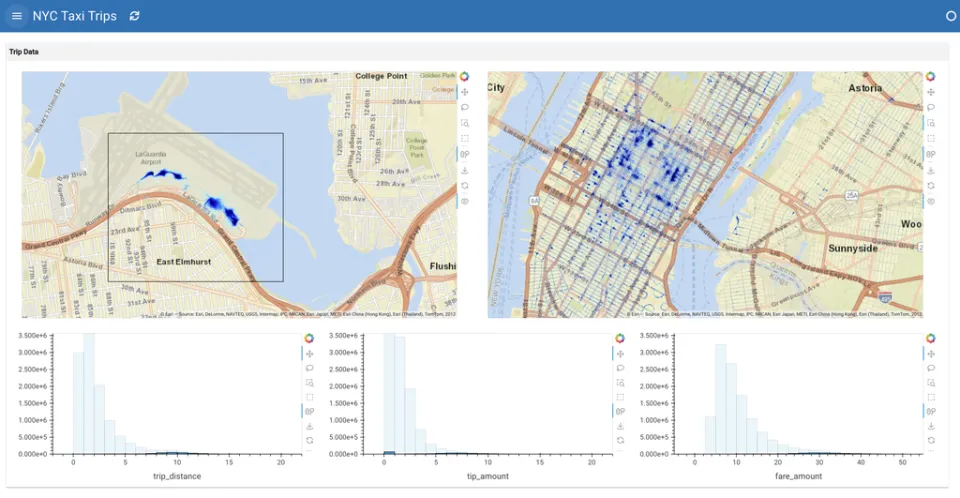
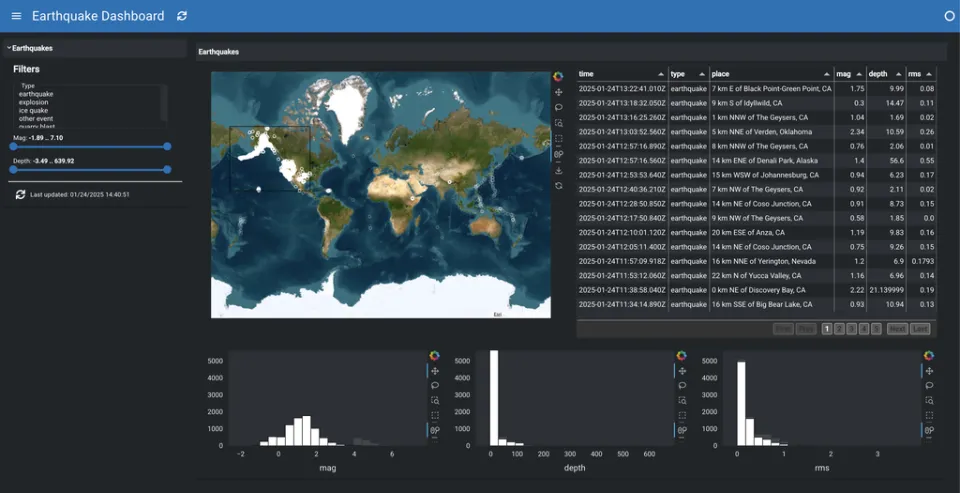
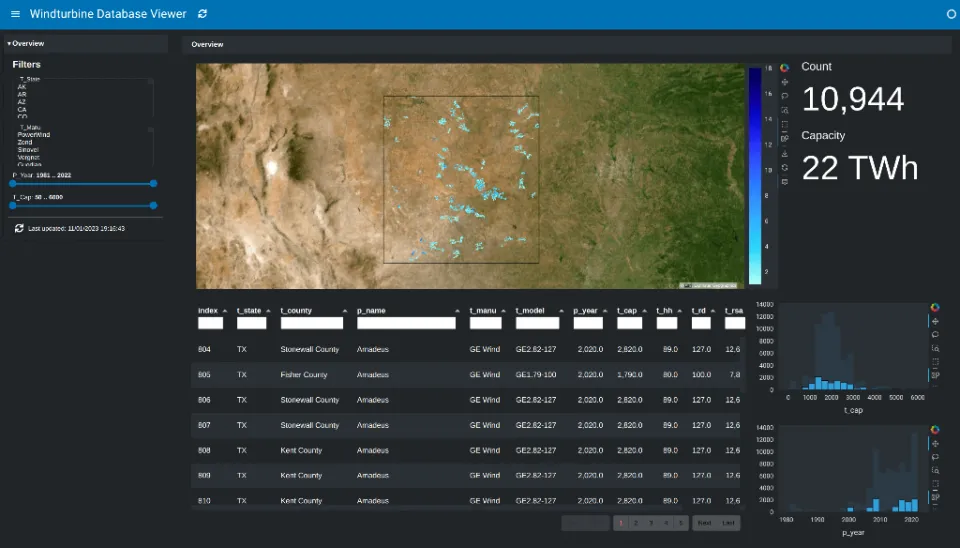
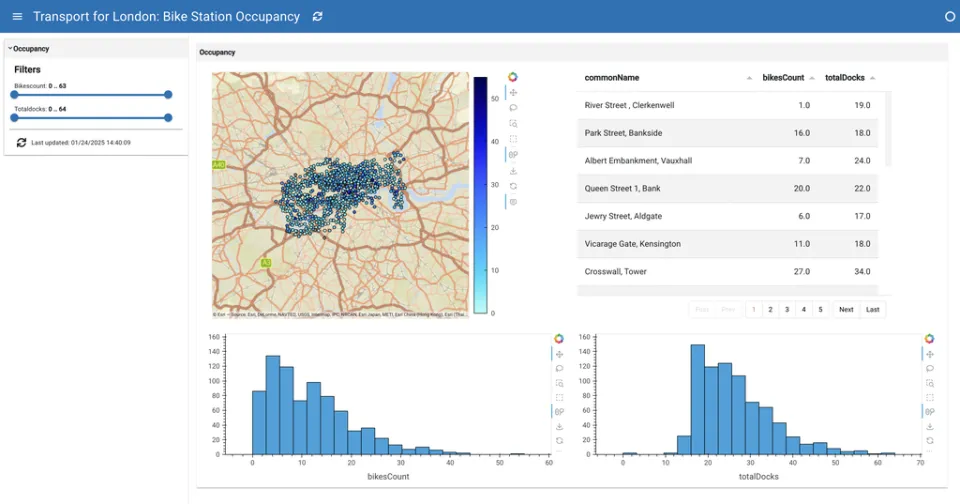
Domain-specific AI explorers from the tutorials, and dashboards written as YAML specs. Each one comes with the full code.
AI explorers
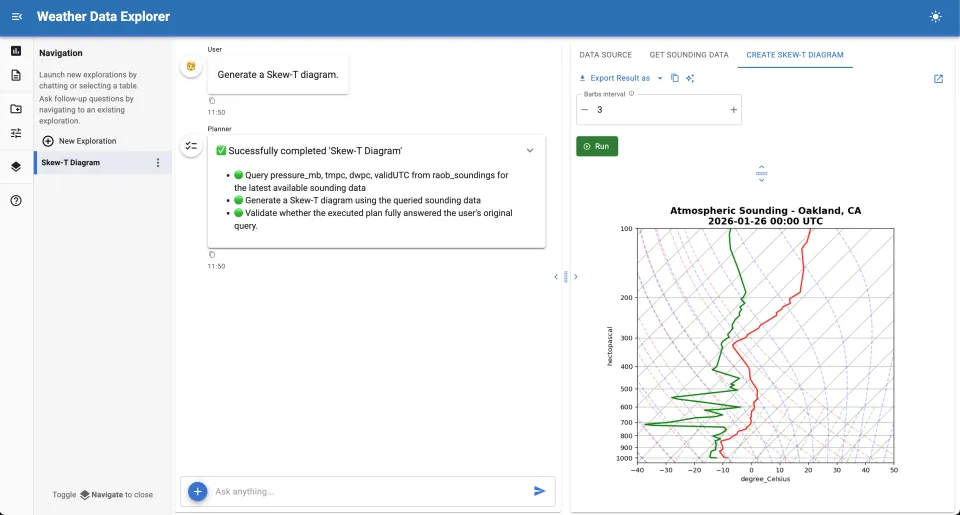
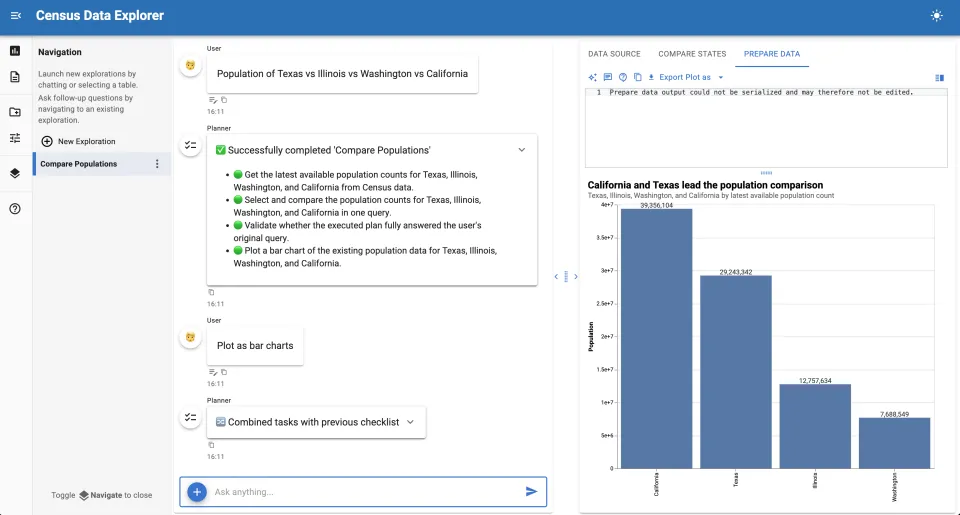
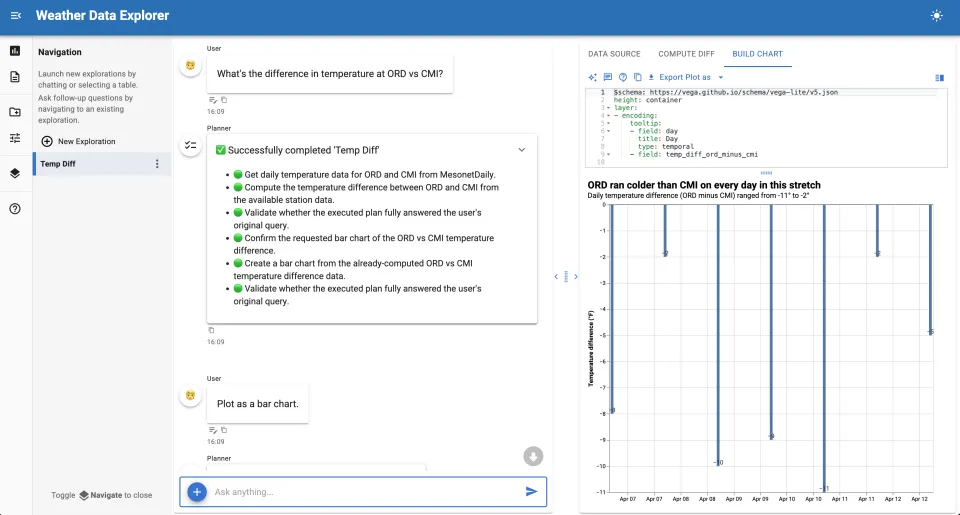
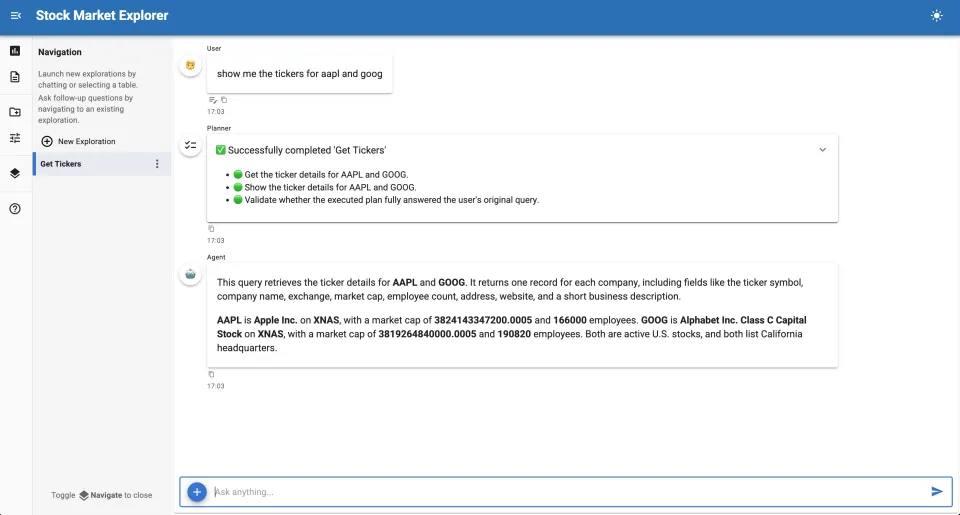
YAML dashboards
Bring your own LLM
Lumen works with hosted APIs, local models, gateways and the coding CLIs you already sign in to. Lumen finds the provider from your environment, or you can name one with --provider. Each agent can use a different model, and Lumen tracks token usage and cost as it goes.
Cloud APIs
- OpenAI
- Anthropic
- Google Gemini
- Mistral
- Azure OpenAI
- Azure Mistral
- AWS Bedrock
- Groq
Local models
- Ollama
- Llama.cpp
- MLX on Apple Silicon
- AI Navigator
Gateways
- OpenRouter
- Kilo
- LiteLLM
- AI Catalyst
Coding CLIs, no API key
- Codex CLI
- Claude Code
- GitHub Copilot CLI
- Antigravity CLI
Use the subscription you already have
Sign in to Codex, Claude Code, GitHub Copilot or Antigravity once, and Lumen sends its requests through that CLI. Copilot works on any plan, including Copilot Free. These providers are for local use, not shared deployments.
lumen-ai serve penguins.csv --provider claude-codelumen-ai serve penguins.csv --provider codex-clilumen-ai serve penguins.csv --provider copilot-clilumen-ai serve penguins.csv --provider antigravity-cliConnect to the data you have
Start from a file or point Lumen at a warehouse. Mix local files and remote databases in one session.
Files
CSV, Parquet, JSON and Excel, uploaded or read from a URL
DuckDB
Fast local SQL over files and in-memory tables
PostgreSQL, MySQL and more
SQLite, Oracle and SQL Server through SQLAlchemy
Snowflake
Cloud warehouse, with SSO sign-in
BigQuery
Google's data warehouse
xarray
NetCDF, Zarr, HDF5 and GRIB as SQL tables
Geospatial files
GeoJSON, WKT and zipped shapefiles
Intake catalogs
Catalogs of datasets described in YAML
Documentation
Upload files as metadata the agents read for context
lumen-ai serve penguins.csv earthquakes.parquetlumen-ai serve postgresql://user:password@localhost:5432/mydblumen-ai serve data.csv postgresql://localhost/mydbChange any step in Python or YAML
Lumen is plain Python on top of Panel. Teach the agents your terms, give them your own functions and MCP servers, add deterministic analyses, and keep what the AI builds as a reproducible YAML spec.
Teach it your domain
Add your business rules and terminology to any agent’s prompt.
context = """{{ super() }}"Active" means logged in within 30 days.Q1 is January to March.""" agent = lmai.agents.ChatAgent( template_overrides={"main": {"context": context}})Give it your own tools
Wrap any Python function, or connect an MCP server with MCPTool, and agents call it when they need it.
def customer_ltv(customer_id: str, table) -> dict: """Calculate customer lifetime value.""" rows = table[table["customer_id"] == customer_id] return {"ltv": rows["revenue"].sum()} tool = lmai.tools.FunctionTool( function=customer_ltv, requires=["table"], provides=["ltv"])Keep it as a spec
Every dashboard is a Lumen YAML spec, so you can edit it, version it and serve it without the AI.
sources: penguins: type: file tables: penguins: penguins.csvlayouts: - title: Plots pipeline: penguins views: scatter: {type: hvplot, kind: points}From your laptop to your team
Explore on your own machine, keep what works, then serve it for everyone else.
Explore
Point lumen-ai serve at files, URLs or database connection strings and start asking questions in the browser.
lumen-ai serve data/*.csv --showBuild
Wrap the explorer in a Python app with your own agents, tools and context, or keep a dashboard as a YAML spec.
lumen serve dashboard.yaml --autoreloadShare
Lumen apps are Panel apps, so they deploy the same way, behind Panel's authentication providers on your own infrastructure.
panel serve app.py --address 0.0.0.0More than one answer at a time
Collect analyses into reports, run real calculations and keep an eye on what the model costs.
Reports and stories
Gather every chart and table into a report, rerun it on new data, and let Lumen write an editable story around it. Export as a notebook, HTML or Word document.
Python calculations
Install the Monty integration and agents get a sandboxed run_python tool for exact arithmetic instead of guesses.
Table statistics and documents
Lumen describes each table to the model with types, keys, value ranges and frequent values. Upload documentation as metadata and vector stores retrieve the relevant parts for each question.
Token usage and cost
Every LLM records the tokens it uses. Add your per-million-token prices and Lumen estimates the cost of each request.
Open source, part of HoloViz
Lumen is built on Panel, hvPlot and the rest of the HoloViz tools and developed in the open. Ask questions on Discourse or Discord, and report bugs on GitHub.
- Latest release
- 1.4
- First release
- 2020
- Contributors
- 40+
- License
- BSD-3